

I still remember the first time I connected an AI model to my email inbox and watched it draft a reply on its own. It felt like magic’ except it wasn’t magic, it was workflow automation with an AI brain bolted on. Since then, I’ve tested dozens of platforms trying to find the ones that actually save time instead of adding another tool to babysit.
This list is based on hands-on use, not a quick skim of landing pages. Below, you’ll find the 10 AI workflow automation tools I keep coming back to in 2026, what they cost, how real users rate them, and where each one genuinely shines (or falls short).
What is an AI automation workflow tool?
An AI automation workflow tool is software that links your everyday apps’ think Gmail, Slack, Notion, or your CRM’ to an AI model so the model can make decisions inside that workflow, not just move data around.
Older automation tools were purely mechanical: trigger an event, run a fixed action, done. AI-powered platforms go a step further. They read unstructured input like emails or support tickets, interpret intent, and choose the next step based on context. You describe the outcome you want in plain language, and the platform’s visual builder turns that into a working automation, usually without writing a single line of code.
What are examples of workflow automation?
Workflow automation shows up almost anywhere a repetitive, rules-based task exists. A few categories I see people building constantly:
- Marketing and content: turning long-form videos into blog drafts, auto-generating weekly newsletters, monitoring brand mentions and flagging negative sentiment
- Sales and lead gen: qualifying inbound leads, enriching contact records, sending personalized first-touch outreach automatically
- Customer support: triaging tickets by urgency, drafting suggested replies from a knowledge base, escalating angry customers to a human
- Internal operations: summarizing daily emails into a digest, syncing data between spreadsheets and project tools, generating meeting notes and follow-up tasks
None of these require a developer. They just require picking the right platform for how technical you are and what you’re trying to connect.
How can AI automate workflows?
AI automates workflows by taking over the judgment calls that used to require a human. A traditional automation tool moves a value from field A to field B. An AI-powered one reads the content of that field, decides what it means, and picks the right action’ categorize this ticket as urgent, summarize this document, draft this reply.
This matters because most business data isn’t clean or structured. Emails, PDFs, chat messages, and call transcripts don’t fit neatly into rows and columns. Large language models are good at parsing that kind of messy, human-generated text and turning it into something a workflow can act on.
One thing worth noting: AI models are known to hallucinate when asked to generate information from scratch. But when a model is working off real data pulled from your connected tools’ an actual email, an actual spreadsheet row’ it has far less reason to make things up. It’s reasoning over facts you’ve handed it, not guessing. That’s part of why grounding AI in workflow tools tends to produce more reliable output than a bare chatbot.
1. Gumloop

Gumloop is a visual, AI-native automation builder where you drag nodes onto a canvas and wire them together to create a working agent. What sets it apart from older automation tools is that AI reasoning is baked into the core experience rather than tacked on as an add-on feature. It ships with an AI assistant that can build workflows for you from a plain-language description, and you don’t need to bring your own API keys to use the top LLMs’ they’re included in the subscription.
It’s used by teams ranging from solo freelancers to enterprise companies, and the platform has attracted serious venture funding as adoption has grown.
What stands out:
- Clean, approachable interface for a genuinely powerful tool
- Built-in AI assistant that plans and builds workflows for you
- A usable free tier that doesn’t require a credit card
- All major LLMs included’ no separate API billing to manage
Where it could improve:
- Support can lag slightly given the company’s size
- The template library, while solid, could be larger
- New users may feel a bit of a learning curve at first due to how much the platform can do
Gumloop pricing
| Plan | Price | Highlights |
| Free | $0/month | Starter credit allowance, 1 seat, limited active triggers |
| Pro | ~$37/month | Higher credit allowance, unlimited seats, multiple concurrent runs |
| Enterprise | Custom | Role-based access, SSO/SCIM, audit logs, advanced governance |
Gumloop reviews
Users frequently highlight how the platform makes automation approachable for non-technical team members while still being powerful enough for engineering-heavy use cases. On third-party review sites, it’s generally praised for ease of use, though as a newer entrant it has a smaller review volume compared to legacy players like Zapier.
Read More:15 best AI apps I can’t live without in 2026 (free + paid)
2. Zapier
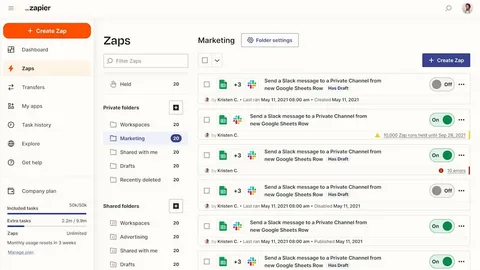
Zapier is the name most people think of first when they hear “workflow automation,” and for good reason’ it’s been around for over a decade and integrates with thousands of apps. The interface is a visual, step-by-step builder: pick a trigger, add actions, add conditional logic, done.
Zapier has been steadily layering AI features into its platform, including AI-powered steps that can summarize, categorize, or generate content mid-workflow. It’s a dependable choice if reliability and breadth of integrations matter more to you than being on the cutting edge of AI-native design.
What stands out:
- Enormous integration library, likely the largest of any tool on this list
- Long track record of uptime and reliability
- Works for solo users and large enterprises alike
Where it could improve:
- AI functionality can feel bolted on rather than core to the product
- Costs climb quickly as workflows and premium app usage grow
- Performance can lag with a large number of active workflows
Zapier pricing
| Plan | Price | Highlights |
| Free | $0/month | 100 tasks/month, two-step Zaps |
| Professional | ~$30/month | Multi-step Zaps, unlimited premium apps |
| Team | ~$100+/month | Shared workspaces, SAML SSO |
| Enterprise | Custom | Unlimited users, advanced admin controls |
Zapier reviews
Zapier consistently scores around 4.5+ out of 5 across major review platforms like G2 and Capterra, with thousands of reviews citing reliability and ease of setup as its biggest strengths.
3. n8n

n8n is the go-to pick for technically inclined teams who want more control than a fully managed SaaS tool offers. It uses the same drag-and-drop canvas concept as the others on this list, but it’s built with developers in mind’ you can self-host it, write custom code inside nodes, and tap into a massive library of community-built workflow templates.
It’s popular in the “AI automation agency” world, where freelancers build and sell custom n8n workflows to small businesses.
What stands out:
- Thousands of community templates to start from
- Self-hosting option for full control over data and infrastructure
- Deep customization for anyone comfortable with a bit of logic-building
Where it could improve:
- You need to supply your own LLM API keys, which adds setup overhead
- Steeper learning curve for non-technical users
- No permanently free plan’ you need a paid tier to actually run workflows long-term
n8n pricing
| Plan | Price | Highlights |
| Starter | ~$24/month | Set number of monthly workflow executions |
| Pro | ~$60/month | Higher execution limits |
| Enterprise | Custom | Custom execution volume, advanced support |
n8n reviews
n8n rates highly among technical users, often scoring above 4.6 out of 5 on G2, with reviewers regularly praising its flexibility and self-hosting option, though some note the setup process demands more technical know-how than competitors.
4. Make

Make (formerly Integromat) is one of the most budget-friendly automation platforms around, and it’s a favorite among indie builders and small teams. Like the others, it offers a visual canvas, but it leans further into granular control’ you can build detailed branching logic, add delays, and chain multiple AI model calls together.
What stands out:
- Very competitive pricing relative to feature depth
- Massive template gallery to jumpstart new automations
- Strong community of tutorials and how-to content
Where it could improve:
- Interface feels dated compared to newer AI-native tools
- Error handling isn’t as refined as some competitors
- Better suited to smaller operations than large enterprises
Make pricing
| Plan | Price | Highlights |
| Free | $0/month | Limited monthly operations |
| Core | ~$10/month | Higher operation limits, unlimited active scenarios |
| Pro | ~$19/month | Priority execution |
| Teams | ~$34/month | Team roles and shared templates |
| Enterprise | Custom | 24/7 support, advanced features |
Make reviews
Make holds strong ratings, generally landing between 4.7 and 4.8 out of 5 on G2 and Capterra, with reviewers frequently calling out its price-to-value ratio as a key strength.
5. Relay.app

Relay.app takes the opposite approach from n8n: instead of maximizing flexibility for technical users, it optimizes for simplicity. The interface is clean, the learning curve is short, and it’s aimed at people who want to build a working automation in minutes, not hours.
It’s used by teams at fast-moving startups that want to automate without hiring a dedicated ops person.
What stands out:
- One of the easiest tools on this list to pick up
- Competitive pricing for what it offers
- Consistently strong third-party review scores
Where it could improve:
- No built-in AI assistant to help construct workflows for you
- Some users mention gaps in available integrations
- Can feel rigid for workflows that need a lot of custom branching
Relay.app pricing
| Plan | Price | Highlights |
| Free | $0/month | 1 user, limited AI credits, multi-step workflows |
| Professional | ~$38/month | Higher AI credit and step allowance |
| Team | ~$138/month | Multiple users, higher usage caps |
| Enterprise | Custom | Custom limits, SOC 2 compliance |
Relay.app reviews
Relay.app punches above its weight on review sites, often scoring close to 4.9 out of 5 on G2, with users highlighting the low learning curve as a standout advantage.
6. Pipedream
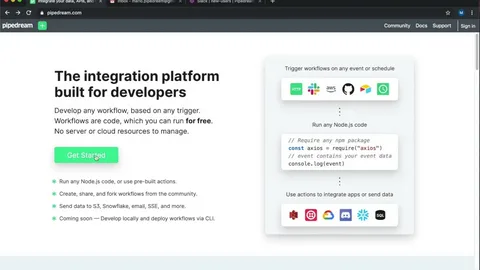
Pipedream is built for developers who want to integrate AI-powered automation directly into their own products, not just run internal workflows. It offers a single SDK that connects to thousands of APIs, plus an AI agent builder that can generate workflow logic from natural-language prompts.
It tends to attract larger, more technical organizations that already have a standardized tech stack they want to plug into.
What stands out:
- Broad API and integration coverage through one SDK
- Natural-language AI agent builder
- Strong fit for embedding automation inside your own product
Where it could improve:
- Interface can feel clunky compared to more polished competitors
- Debugging workflows isn’t always intuitive
- Paid plans get expensive relative to the free tier’s limits
Pipedream pricing
| Plan | Price | Highlights |
| Free | $0/month | Limited credits, small number of active workflows |
| Basic | ~$45/month | Higher credit and workflow limits |
| Advanced | ~$74/month | Unlimited workflows, higher AI token allowance |
| Business | Custom | Volume pricing, dedicated support |
Pipedream reviews
Pipedream earns solid marks from developers, generally in the 4.5–5 range on G2 and Capterra, though review volume is smaller than legacy platforms since its audience skews technical and niche.
7. Lindy AI

Lindy AI markets itself less as a “workflow tool” and more as an AI employee builder. You describe the role you want an agent to fill’ sales development rep, support triage agent, LinkedIn outreach assistant’ and Lindy helps you assemble it in a guided, conversational way.
It’s particularly strong for sales and customer support use cases, with integrations tailored to CRMs and outbound tools.
What stands out:
- Straightforward setup process for building your first agent
- Deep bench of sales and support-focused integrations
- Usable free tier for testing before committing
Where it could improve:
- Paid tiers can get pricey relative to task volume
- Fewer templates and tutorials than more established competitors
- Complex automations may require some trial and error to get right
Lindy AI pricing
| Plan | Price | Highlights |
| Free | $0/month | Limited monthly tasks, core integrations |
| Pro | ~$50/month | Higher task allowance, expanded integrations |
| Business | ~$200/month | Unlimited calling, multi-language support |
| Enterprise | Custom | Dedicated support and security features |
Lindy AI reviews
Lindy AI scores well on G2, often above 4.8 out of 5, with users praising how quickly they can spin up a working agent, though it has fewer reviews on sites like Capterra so far.
8. Vellum AI

Vellum AI is aimed squarely at engineering teams building and shipping production-grade AI agents, not casual no-code users. It’s an end-to-end platform covering prompt experimentation, evaluation, deployment, and ongoing monitoring in one place.
If your team is already writing code and needs a serious platform for managing AI pipelines at scale, Vellum is worth a demo.
What stands out:
- Full lifecycle coverage from prompt testing to production monitoring
- Used by recognizable, larger companies
- Strong fit for technical teams building custom AI products
Where it could improve:
- Requires real technical expertise to get value from it
- Pricing isn’t public’ you’ll need to talk to sales
- Overkill for anyone just wanting simple no-code automations
Vellum AI pricing
| Plan | Price | Highlights |
| Startup | Contact for pricing | Up to a handful of seats, prompt engineering, workflows, monitoring |
| Enterprise | Custom | RBAC, multiple workspaces, VPC deployment, SSO |
Vellum AI reviews
Vellum AI holds near-perfect ratings on G2 and Capterra, though with a smaller sample size, reviewers most often praise its depth as a full AI development platform rather than a simple automation tool.
9. StackAI
StackAI is an enterprise-grade workflow builder with a particular focus on regulated industries’ government, healthcare, and financial services. It has one of the cleanest interfaces of any tool on this list, and it puts a heavy emphasis on security and data privacy, which matters a lot if you’re handling sensitive records.
What stands out:
- Polished, intuitive interface
- Strong compliance posture for regulated industries
- End-to-end platform for building and deploying agents
Where it could improve:
- Best suited to larger organizations, less so solo users
- Enterprise pricing isn’t published upfront
- Smaller community and template library than the bigger no-code players
StackAI pricing
| Plan | Price | Highlights |
| Free | $0/month | Limited monthly runs, small number of projects, community support |
| Enterprise | Custom | Custom run and seat volume, on-prem deployment, SOC 2/HIPAA/GDPR compliance |
StackAI reviews
StackAI rates around 4.8 out of 5 on G2 and similar review sites, with users consistently pointing to its interface and compliance features as key differentiators for regulated industries.
10. Workato
Workato is built for large companies with complex, cross-departmental automation needs’ think marketing, sales, HR, IT security, and customer service all running through one governed platform. It’s not a self-serve, sign-up-and-go tool; you’ll need to book a demo to see pricing and get set up.
It’s a strong fit if your organization already has the scale and budget to justify an enterprise automation platform, but it’s not the right starting point for a small team or solo builder.
What stands out:
- Enterprise-grade governance and security controls
- Used by large, recognizable companies across industries
- Unlimited connections, workflows, and collaborators on its core plans
Where it could improve:
- No public self-serve pricing
- Steeper onboarding process involving sales calls
- Overkill for smaller teams with simpler automation needs
Workato pricing
| Plan | Price | Highlights |
| Platform + Usage | Custom | Unlimited connections, workflows, and collaborators |
| Embedded Solution | Custom | Workato built into your own product, with SSO |
Workato reviews
Workato scores consistently well, generally around 4.6–4.7 out of 5 on G2 and Capterra, with a large volume of reviews reflecting its long history serving enterprise customers.
What is the difference between workflow automation and AI?
Workflow automation is the practice of building systems that carry out repetitive tasks automatically’ this predates the current AI boom by years. AI, meanwhile, refers to machine learning systems capable of understanding language, making judgment calls, and generating content.
When the two are combined, you get platforms like the ones covered above: automation infrastructure that connects your everyday tools, powered by an AI “brain” that can read, reason, and decide instead of just shuffling data. In short, workflow automation is the plumbing, and AI is what makes that plumbing smart.
FAQ’S
Is n8n better than Zapier?
Neither is strictly better’ n8n suits technical teams that want self-hosting and deep customization, while Zapier suits non-technical users who want breadth of integrations and reliability out of the box.
Are AI workflow automation tools free?
Most platforms on this list, including Gumloop, Zapier, and Make, offer a free plan with limited usage, though heavier automation typically requires a paid tier.
Do I need to know how to code to use these tools?
No’ most platforms use visual, drag-and-drop builders designed for non-technical users, though tools like n8n and Pipedream offer more flexibility if you do know how to code.
Which AI workflow tool is best for beginners?
Gumloop and Relay.app are generally the easiest to pick up thanks to their clean interfaces and low learning curves.
Can AI workflow tools replace human employees?
They’re built to handle repetitive, rules-based tasks so humans can focus on judgment-heavy work’ not to fully replace roles that require nuanced decision-making.
Final thoughts
Choosing the right AI workflow automation tool really comes down to two things: how technical your team is, and how complex your automations need to be. Beginners will likely feel most at home with Gumloop, Relay.app, or Zapier, while technical teams may prefer the flexibility of n8n or Pipedream.
Whichever platform you pick, the underlying idea is the same’ connect your everyday tools, let AI make the smart decisions, and get your time back. Start with a free plan, build one real workflow that solves an actual problem you have, and expand from there once you see the payoff firsthand.