

AI tools are everywhere now. They write, code, edit videos, and even do research for you. But not every tool earns a spot in your daily routine. That’s why this list matters. Welcome to ai tools. These are the tools that actually stick around after the first week.
I tested over 70 apps to find these. Most got used once, then forgotten. The ones on this list didn’t. This roundup of ai tools covers writing, coding, video, and automation. Whether you want free tools or premium ones, you’ll find something worth trying. Let’s get into ai tools.
What Is An AI App?
An AI app uses artificial intelligence to help you get things done faster. Most rely on large language models, the same tech behind ChatGPT and Claude. These apps don’t just follow fixed rules. They understand context, generate content, and even make decisions on their own. That’s what sets them apart from older software.
Some AI apps build their entire product around AI, like Claude or ChatGPT. Others use AI behind the scenes to connect with different tools and automate tasks. Either way, you get software that adapts to you instead of the other way around. And honestly, that shift changes how we work day to day.
15 Best AI Apps And Tools In 2026
This list covers every corner of the AI tool space. You’ll find apps for writing, coding, video editing, voice generation, and automation. Each one earned its spot through months of real use, not a quick test run. So you’re not getting hype. You’re getting tools that actually hold up over time.
Below, you’ll find pricing, pros, cons, and reviews for each app. Some are free. Others cost a bit more but save you serious time. Pick the ones that fit your workflow best. You don’t need all 15 to start. Even trying two or three can change how you work.
1. Google Labs

Google Labs is a hub for free, experimental AI tools straight from Google. It includes apps like Pomelli for on-brand ad content and Mixboard for visual brainstorming. You’ll also find Google AI Studio, where you can test Gemini models without spending a dime. It’s one of the most underrated free resources out there.
For developers, Google Labs also offers Antigravity, an AI-powered IDE built around coding agents. It’s powered by Gemini 3 and can plan, write, and test code with minimal input from you. Features come and go since everything’s experimental. But if you like exploring new tech early, this is a great place to start.
Google Labs Pricing
Google Labs costs nothing. Every experiment, including Pomelli, Mixboard, and Google AI Studio, comes free of charge. Antigravity is also free during its public preview.
| Plan | Price | Access |
| Free | $0/month | All experiments, Pomelli, Mixboard, AI Studio, Antigravity |
2. Gumloop
Gumloop is an AI automation builder made for AI-first workflows. Unlike Zapier, it lets you drop an AI model right into your workflow to think and make decisions. It connects with any major LLM, including Claude, ChatGPT, and Gemini. You can even plug in MCP servers for deeper integrations.
The drag-and-drop builder makes chaining together scraping, prompts, and outputs simple. Gummie, the in-app copilot, helps you build flows just by describing what you want. Whether you’re in marketing, sales, or ops, Gumloop turns repetitive tasks into background processes. It’s the automation tool worth trying first.
See What You Can Build With Gumloop
Gumloop offers ready-to-run agents for marketing, sales, support, and operations. You don’t have to start from scratch. Browse the template library, pick one close to your use case, and tweak it from there. It saves hours compared to building a flow from zero.
You can also build fully custom agents from the ground up. Combine scraping, AI prompts, and integrations however you like. One popular setup pulls competitor blog posts, summarizes them with AI, and sends a daily Slack digest. That kind of automation used to take a developer. Now it takes minutes.
Gumloop Pricing
| Plan | Price | Includes |
| Pro | $37/month | 20,000+ credits, unlimited triggers, webhooks, bring your own API key |
| Enterprise | Custom pricing | Role-based access, SAML/SSO, audit logs, virtual private cloud |
Gumloop Reviews
Gumloop earns strong marks from early users. On G2, it holds a 4.8 out of 5 rating from more than 7 reviews. Product Hunt users rate it even higher, at 5 out of 5 from 9-plus reviews. Small sample sizes, sure. But the sentiment is consistently positive.
Users highlight the AI copilot and how fast it is to build a working flow. Complaints are minor and mostly about UI quirks you’d expect from a newer platform. For a tool that’s still growing, that’s a solid track record. It’s worth watching as the review count climbs.
3. Claude

Claude is Anthropic’s AI assistant, and it handles a wide range of tasks well. You can use it for proofreading, brainstorming, coding through Claude Code, or research with MCP integrations. Projects let you save custom instructions and files for specific campaigns, turning Claude into a dedicated assistant for each one.
Claude Cowork gives Claude access to your desktop to make local edits directly in your files. Claude Code, meanwhile, is great for building internal tools and scripts from scratch. Between the free plan and paid tiers, there’s an option for casual users and power users alike. It flexes to fit how you work.
Claude Pricing
| Plan | Price | Includes |
| Free | $0/month | Web, mobile, desktop access, web search, memory, file creation, MCP connectors |
| Pro | $20/month ($17/month annually) | More usage, Claude Code, Cowork, unlimited projects, Research |
| Max | From $100/month | 5x or 20x more usage than Pro, higher output limits, early feature access |
Claude Reviews
Claude performs well across review platforms. G2 users give it a 4.6 out of 5 rating based on over 403 reviews, a solid sample size. Capterra reviewers rate it 4.4 out of 5 from 48-plus reviews. Both numbers point to consistent satisfaction, not just early hype.
Common praise centers on flexibility and ease of use across writing, coding, and research tasks. Some users mention usage limits as a downside, even on paid plans. Still, for an all-around AI assistant, the reviews back up its reputation. It’s a dependable pick whether you’re a casual or daily user.
4. Cursor
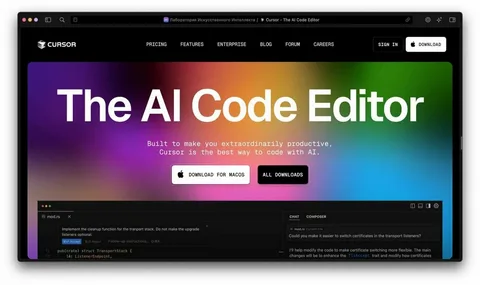
Cursor is an AI-powered code editor built on top of VS Code. It’s model-agnostic, so you can use Claude, Gemini, or ChatGPT models inside the same environment. That flexibility makes it a favorite among developers who don’t want to lock into one AI provider. Think of it as vibe coding without limits.
Many developers pair Cursor with Claude Code for backend work, then use Cursor’s own agent for frontend tasks. The Composer model, in particular, handles UI work fast. With built-in GitHub integration, pushing code stays simple. It’s a full development environment, not just a chat window bolted onto an editor.
Cursor Pricing
| Plan | Price | Includes |
| Hobby | Free | Limited agent requests, limited tab completions |
| Pro | $20/month | Extended agent limits, unlimited tab completions, cloud agents |
| Pro+ | $60/month | 3x usage on OpenAI, Claude, and Gemini models |
| Ultra | $200/month | 20x usage, priority access to new features |
| Teams | $40/user/month | Shared chats, centralized billing, SSO |
| Enterprise | Custom pricing | Pooled usage, invoice billing, SCIM, audit logs |
Cursor Reviews
Cursor holds a 4.7 out of 5 rating on G2 from more than 307 reviews. That’s a healthy sample size for a coding tool. Product Hunt users rate it even higher, at 5 out of 5 from over 912 reviews. Developers clearly trust it for daily work.
Reviewers often point to the familiar VS Code interface as a major plus. It lowers the learning curve for anyone switching over. The main complaints involve cost at higher usage tiers. For non-technical users, there’s also a bit of a ramp-up period before things click.
5. Higgsfield
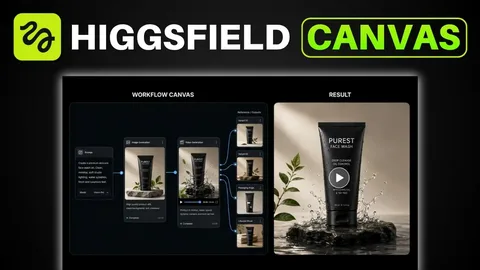
Higgsfield is an all-in-one platform for AI video creation. It connects multiple video models along with editing, image generation, and audio tools in a single dashboard. Instead of juggling five different apps, you handle everything from one place. That alone saves a serious amount of time on video projects.
The platform includes its own audio model, Higgsfield Audio, for voice cloning and multilingual synthesis. You can also plug in ElevenLabs if you prefer. With image generation built in too, Higgsfield covers most of what a content creator needs without forcing you to leave the platform.
Higgsfield Pricing
| Plan | Price | Includes |
| Basic | $9/month | 150 credits, selected models, 2 concurrent videos |
| Pro | $29/month | 600 credits, all models, 3 concurrent videos |
| Ultimate | $49/month | 1,200 credits, all models, 4 concurrent videos |
| Creator | $250/month | 6,000 credits, all models, 8 concurrent videos, 35% cheaper credits |
Higgsfield Reviews
Higgsfield sits at a 4.3 out of 5 on G2 from more than 21 reviews. Product Hunt users rate it slightly higher, at 4.7 out of 5, though that’s based on just 3 reviews. It’s a newer platform, so the review pool is still growing.
Users like having multiple video models and tools under one roof. It cuts down on app-switching during production. The main downside mentioned is cost at higher tiers if you’re a heavy content creator. For casual use, though, the lower plans cover plenty of ground.
6. Weavy
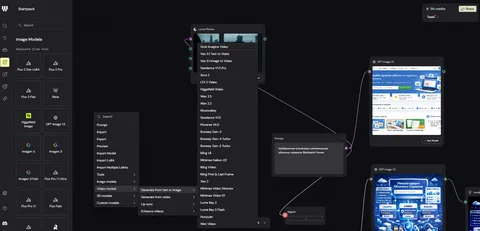
Weavy, now part of Figma, focuses on AI image generation workflows. You can think of it as a workflow builder specifically for images and short animations. It’s especially useful if you need consistent, on-brand visuals without hiring a designer for every single asset you create.
You upload example designs, set up prompt templates, and generate new visuals by tweaking prompts slightly each time. That workflow-based approach makes batch image creation fast. Every plan includes a commercial license, which matters if you’re creating content for client work or your own brand.
Weavy Pricing
| Plan | Price | Includes |
| Free | $0/month | 150 credits, all AI models, editing tools, 5 workflows |
| Starter | $24/month | 1,500 credits, unlimited workflows |
| Professional | $45/month | 4,000 credits, 3-month credit rollover |
| Team | $60/user/month | 4,500 credits per user, shared credit pool |
7. ElevenLabs

ElevenLabs leads the pack in AI voice generation. Feed it a transcript, and it produces a human-like voiceover in seconds. It’s used for everything from video voiceovers to website agents that read content out loud to visitors. The voice quality is genuinely hard to distinguish from a real person.
ElevenLabs Agents takes things further, letting you deploy and monitor conversational AI agents. These agents support over 70 languages, making it a solid choice for global products. If your project needs AI to speak, ElevenLabs remains the tool most creators reach for first.
ElevenLabs Pricing
| Plan | Price | Includes |
| Free | $0/month | 10k credits, text to speech, speech to text, 3 projects |
| Starter | $5/month | 30k credits, commercial license, instant voice cloning |
| Creator | $11/month | 100k credits, professional voice cloning, 192kbps audio |
| Pro | $99/month | Everything in Creator, 44.1kHz PCM audio via API |
ElevenLabs Reviews
ElevenLabs holds a 4.5 out of 5 rating on G2 from a large pool of over 1,139 reviews. That’s one of the bigger sample sizes on this list. Product Hunt users rate it even higher, at 4.9 out of 5 from 155-plus reviews.
Reviewers consistently praise the realism of the voices and the language support. Complaints tend to focus on cost for heavy audio generation and the fact that voice cloning sits behind a paywall. Still, for quality and reliability, it’s hard to find a stronger competitor in this space.
8. Paradigm AI
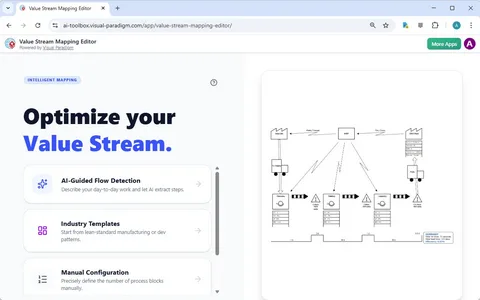
Paradigm AI blends spreadsheets with AI agents. Every cell acts like its own AI agent, which is a genuinely unique approach. You can list keywords in one column, then have another column figure out search intent automatically, enriching your data with a single click.
It works well for bulk research tasks and data enrichment across any spreadsheet-based workflow. Some compare it to Clay, though Paradigm AI covers a broader range of use cases. It supports CSV and XLSX imports, so bringing in existing data takes no extra setup work.
Paradigm AI Pricing
| Plan | Price | Includes |
| Starter | Free | Daily usage cap, basic AI chat, basic models, 100 emails/month |
| Pro | $20/month | $20 on-demand usage, 50 team seats, webhooks |
| Business | $500/month | $500 on-demand usage, premium AI chat and models |
| Enterprise | Custom pricing | Custom usage, full RBAC, SSO |
9. Clearscope
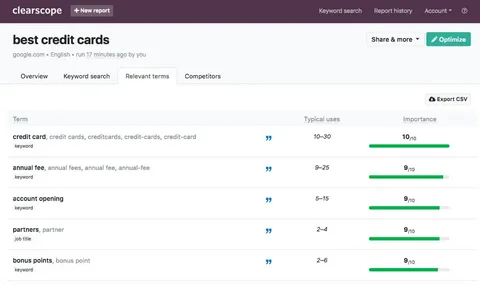
Clearscope has been around since before the AI boom really took off. It uses AI to tell you which keywords and terms to include on a page for better ranking potential. You enter a target keyword, and it analyzes top-ranking competitors to build a content report.
The tool identifies related terms and semantic keywords based on what’s already ranking well. It integrates with Google Docs and WordPress, so adding recommendations to your workflow stays simple. It’s not a full SEO suite, but for content optimization specifically, it’s a mature and reliable pick.
Read More:The Ultimate SEO Puns List: Optimizing Your Funny Bone for Peak Performance 😂
Clearscope Pricing
| Plan | Price | Includes |
| Essentials | $129/month | 20 AI tracked topics, 20 topic explorations, 50 content pages |
| Business | $399/month | 50 AI tracked topics, 300 content pages, dedicated account manager |
| Enterprise | Custom pricing | Custom credits, crawler whitelisting, SSO |
Clearscope Reviews
Clearscope scores extremely well across review sites. G2 users rate it 4.9 out of 5 from more than 92 reviews. Capterra shows nearly identical results, at 4.9 out of 5 from 60-plus reviews. Few tools on this list score this consistently high.
Reviewers point to reliability and accuracy as the biggest strengths, which makes sense given how long the product has been refined. The main complaint is price, since there’s no free plan and the entry tier starts at $129 a month. For serious content teams, though, it earns its cost.
10. v0
v0, built by Vercel, is the go-to tool for prototyping web apps with strong design quality. It’s arguably the best vibe coding tool available if visual polish matters to you. Since Vercel also handles hosting, you can deploy your project directly from the same platform without extra setup.
v0 also integrates with Supabase, letting you add a full database to your prototype. Many users prototype in v0, then export the code into Cursor for production-level development. It’s a strong starting point, especially for anyone who hasn’t tried vibe coding tools before.
v0 Pricing
| Plan | Price | Includes |
| Free | $0/month | $5 credits, deploy to Vercel, GitHub sync (7 messages/day) |
| Premium | $20/month | $20 credits, $2 daily free credits, Figma import |
| Team | $30/user/month | $30 credits per user, shared team credits |
| Business | $100/user/month | Everything in Team, training opt-out by default |
| Enterprise | Custom pricing | SSO, RBAC, priority access |
v0 Reviews
v0 performs well with users, holding a 4.8 out of 5 rating on Product Hunt from over 52 reviews. G2 shows a very similar score, 4.7 out of 5, also from around 52 reviews. Consistency across both platforms says a lot about the product’s reliability.
Users consistently praise the design quality compared to other vibe coding tools. The main downsides mentioned are the message limit on the free plan and output that sometimes needs cleanup before production use. For prototyping specifically, though, it remains a top pick.
11. Lovable

Lovable is an AI website and app builder that works through natural language. You describe what you want, and it builds a working prototype in real time. Unlike design-first tools, Lovable focuses on full working apps rather than just frontend layouts, making it useful when you need something functional fast.
It connects to databases like Supabase and syncs with GitHub for further development. Lovable also includes unlimited collaborators, even on the free plan, which is rare for this category. A solid template library helps you skip the blank-page problem if you’re not sure where to start.
Lovable Pricing
| Plan | Price | Includes |
| Free | $0/month | 5 daily credits, public projects, unlimited collaborators |
| Pro | $25/month | 100 monthly credits, custom domains, user roles |
| Business | $50/month | Internal publish, SSO, team workspace |
| Enterprise | Custom pricing | Dedicated support, SCIM, audit logs |
Lovable Reviews
Lovable holds a 4.6 out of 5 rating on Product Hunt from more than 166 reviews. G2 shows a similar score, also 4.6 out of 5, but from a much larger pool of 208-plus reviews. That kind of consistency across platforms builds real confidence.
Users like how fast they can go from idea to working app. Some reviewers note that generated designs can look similar across different projects, which is a common tradeoff with AI builders. Overall, though, for speed and functionality, it holds up well against competitors like v0.
12. Originality AI

Originality AI focuses on detecting AI-generated content and catching plagiarism. It’s one of the more accurate detection tools available right now, and it bundles in a readability checker and fact-checking aid too. That said, no detection tool is perfect, and false positives do happen occasionally.
It’s worth treating results as a guide rather than an absolute answer. A Chrome extension and WordPress plugin make it easy to scan content wherever you’re working. For teams publishing a lot of content, it adds a useful layer of quality control before anything goes live.
Originality AI Pricing
| Plan | Price | Includes |
| Pay as you go | $30 one-time | 3,000 credits, AI checker, plagiarism checker |
| Pro | $14.95/month | 2,000 credits/month, file uploads, full site scans |
| Enterprise | $179/month | 15,000 credits/month, dedicated success manager, API access |
Originality AI Reviews
Originality AI holds a 4.5 out of 5 rating on G2 from over 171 reviews, a solid and sizable sample. Capterra reviewers rate it even higher, at 5 out of 5, though from a smaller pool of just 7 reviews.
Users consistently mention accuracy as the standout feature compared to other detection tools. Complaints are minor and mostly involve the interface, which reviewers describe as functional but not especially polished. For anyone who needs reliable AI detection, it remains one of the top choices available.
13. Descript
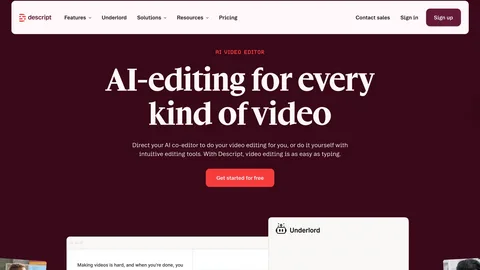
Descript is a text-based video and podcast editing platform. You edit video by editing text, which genuinely changes how editing feels day to day. It includes AI tools like filler word removal, eye contact correction, and Studio Sound for cleaning up rough audio automatically.
Beyond editing, Descript can generate scripts and even custom voice clones. It’s grown into a full production platform rather than just an editor with AI features bolted on. For anyone working with long-form video or podcasts regularly, it cuts editing time down significantly.
Descript Pricing
| Plan | Price | Includes |
| Free | $0/month | Text-based editing, basic AI tools |
| Hobbyist | $16/month | 10 media hours, 400 AI credits, 1080p export |
| Creator | $24/month | 30 media hours, 800 AI credits, 4K export |
| Business | $50/month | 40 media hours, Brand Studio, 30+ language dubbing |
| Enterprise | Custom pricing | SSO/SCIM, custom AI credits |
Descript Reviews
Descript scores well across platforms, with a 4.6 out of 5 rating on G2 from a large pool of 854-plus reviews. Capterra shows an even stronger result, 4.7 out of 5, from 179-plus reviews. Both numbers reflect a mature, well-tested product.
Reviewers frequently highlight the text-based editing workflow as a major time-saver. The most common complaints involve speed on longer projects and AI credits running out faster than expected. Even so, for video and podcast editing specifically, it remains one of the most trusted tools around.
14. Perplexity

Perplexity is an AI search engine built for research and conversational queries. It stands out with social search, which pulls insights from forums and user-generated content that traditional search engines often miss. Answers come with sources cited, so you’re not left guessing where information came from.
Perplexity’s Computer feature lets you delegate tasks to an AI agent, similar to how Claude Cowork works. Pro users can choose between multiple leading models depending on the task. For research-heavy work, it consistently outperforms general chatbots on web search quality.
Perplexity Pricing
| Plan | Price | Includes |
| Free | $0/month | Basic search, AI answers |
| Pro | $17/month (billed annually) | Multiple leading models, deeper sourcing, reports and documents |
| Ultra | $167/month (billed annually) | Advanced reasoning, 45,000 monthly Computer credits |
Perplexity Reviews
Perplexity holds a 4.5 out of 5 rating on G2 from more than 238 reviews. Capterra shows a slightly higher score, 4.6 out of 5, from over 30 reviews. Both numbers suggest steady satisfaction across different types of users.
Reviewers praise the sourced answers and social search feature most often. Some mention that sources aren’t always the most authoritative, and the free plan limits access to advanced models. Still, for research and fact-finding tasks, it remains a strong alternative to standard AI chatbots.
15. Gamma
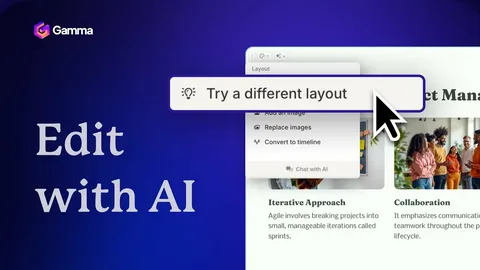
Gamma is an AI presentation and document builder, often compared to Canva. It generates full slide decks from a simple text prompt in seconds. Beyond presentations, you can use it for social posts, websites, and proposal documents, all from the same platform without switching tools.
Gamma supports importing from PDF and PPTX files, so you can build on existing work instead of starting fresh. Export options include PDF, PPTX, PNG, and Google Slides. For anyone without a dedicated designer, it fills that gap quickly and without much of a learning curve.
Gamma Pricing
| Plan | Price | Includes |
| Free | $0/month | 400 credits at signup, up to 10 cards per prompt |
| Plus | $12/seat/month | 1,000 monthly credits, branding removed |
| Pro | $25/seat/month | 4,000 monthly credits, custom branding, API access |
| Ultra | $100/seat/month | 20,000 monthly credits, most advanced models |
Gamma Reviews
Gamma holds a 4.1 out of 5 rating on G2 from more than 22 reviews. Product Hunt shows a stronger result, 4.5 out of 5, from 77-plus reviews. The gap between platforms is worth noting, though both scores land solidly positive.
Users like how fast a full presentation comes together from just a prompt. The main criticism involves customization, which falls short compared to dedicated design tools like Figma. For quick decks and documents, though, it saves a serious amount of time.
How I Chose The AI Apps On This List
Picking these 15 wasn’t random. Each tool earned its spot by passing a simple test: does it get used again after the first week. Most tools fail that test fast. These didn’t. Some get used daily. Others get used weekly, depending on the project at hand.
The criteria included ease of use, output quality, pricing, and integration with existing tools. Reliability mattered too, especially for tools depended on for real work. None of these are apps tried once and forgotten. They’ve all held a permanent spot in an actual workflow over the past six months.
What Is The Best Free AI
The answer depends on what you need. For an all-around free AI chatbot, Claude wins easily. Its free plan includes web search, memory, file creation, and MCP connectors, along with Slack and Google Workspace integrations. That’s a strong lineup for a tool that costs nothing to use.
For a broader ecosystem, Google Labs takes the win. It offers free tools for image generation, prototyping, email productivity, and even a full IDE with Antigravity. And if automation is the goal, Gumloop’s free plan offers enough credits to build and test real workflows before paying a cent.
Frequently Asked Questions
What are the 15 best AI apps I can’t live without in 2026?
They’re a mix of free and paid ai tools for writing, coding, video, and automation. This list of 15 best AI apps I can’t live without in 2026 (free + paid) covers everything you need to work faster.
Are these ai tools free or paid?
Both. Many ai tools on this list, like Claude and Google Labs, offer solid free plans. Others start cheap and scale up as your needs grow.
Which AI app is best for coding?
Cursor and v0 lead the pack for coding-focused ai tools. Both let you prototype fast and connect with multiple AI models.
Can I use these ai tools without any experience?
Yes, most of these ai tools are beginner-friendly. You just describe what you want, and the tool builds it for you.
Why trust this list of 15 best AI apps I can’t live without in 2026?
Every tool got tested for months, not days. Only ai tools that earned daily or weekly use made it into 15 best AI apps I can’t live without in 2026 (free + paid).
Conclusion
Ai tools change the way we work today. This list of 15 best AI apps I can’t live without in 2026 (free + paid) shows the ones actually worth your time. Not every app makes the cut. Most ai tools get tried once, then forgotten. These didn’t. They earned a permanent spot through daily and weekly use across real projects.
Whether you want free ai tools or premium ones, this list has something for you. From writing to coding to video editing, ai tools now touch almost everything we do. Pick a few that match your workflow and start there. You don’t need all 15 to see a difference. Even one or two solid ai tools can save you hours each week. That’s the real test of any tool: does it stick around after the first try.