
Marketing teams are drowning in tools, yet most still spend hours on tasks a workflow could handle in seconds. Whether it’s enriching a lead list, sending a lifecycle email, or scoring intent, the right automation platform gives you back that time.
Below is a breakdown of the 10 marketing automation platforms I rely on most in 2026, what each one does best, where it falls short, and how much it actually costs, based on hands-on use and up-to-date pricing pages.
What is a marketing automation platform?
A marketing automation platform is software that handles repetitive marketing tasks automatically, based on rules, triggers, or customer behavior, instead of requiring someone to do them manually every time.
That definition sounds narrow, but marketing automation touches nearly every corner of a modern go-to-market motion. It can mean:
- Automatically emailing a new signup the moment they hit a certain milestone in your product
- Enriching and scoring inbound leads before they ever reach a sales rep
- Triggering an SMS or push notification after a cart is abandoned
- Pulling performance data into a dashboard without anyone touching a spreadsheet
- Using AI to draft, personalize, or route content at scale
Some platforms specialize in one of these use cases (email lifecycle marketing, for example), while others try to be a single hub for your entire funnel. The right pick depends less on brand recognition and more on what your team actually needs to automate.
What to look for in a marketing automation platform
There’s no shortage of automation software on the market, and a flashy interface doesn’t always translate into real results. Before comparing individual tools, it helps to know which criteria actually matter.
- Fit for your specific use case, An ecommerce brand needs abandoned-cart flows and SMS; a B2B SaaS company needs lead scoring and CRM sync. Pick a platform built around your workflow, not a generic one that does everything decently and nothing well.
- Ease of setup and use, If your team needs an engineer on standby just to launch a basic workflow, the tool is working against you. Look for visual, drag-and-drop builders, pre-built templates, and documentation that doesn’t assume prior automation experience.
- Native integrations, Your automation platform is only as useful as the systems it connects to. Check that it plugs directly into your CRM, ad platforms, analytics stack, and any AI models you plan to use.
- Scalability and security, You’re handing this tool access to customer data, so it needs enterprise-grade security (SSO, role-based access, audit logs) and pricing that won’t blow up the moment your contact list grows.
- Transparent, predictable pricing, Credit-based and contact-based pricing can escalate fast. Understand exactly what triggers a price increase before you commit.
- Real, measurable ROI, Some platforms look impressive in a demo but don’t move a single business metric. Prioritize tools that tie automation directly to pipeline, revenue, or retention, not vanity dashboards.
With those criteria in mind, here’s how the 10 platforms I use most often actually stack up.
10 best marketing automation platforms in 2026
| # | Platform | Best For | Starting Price |
| 1 | Gumloop | No-code AI workflow automation | Free, then from $37/mo |
| 2 | Zapier | Connecting apps with simple triggers | Free, then from $29.99/mo |
| 3 | Clay | GTM prospecting and data enrichment | Free, then from $149/mo |
| 4 | Attio | Flexible CRM with built-in automation | Free, then from $36/user/mo |
| 5 | HubSpot | All-in-one marketing, sales & service | Free, then from $15/seat/mo |
| 6 | Roadway AI | Marketing attribution and analytics | Custom pricing |
| 7 | Customer.io | Behavior-based lifecycle emails | From $100/mo |
| 8 | Loops | Lightweight email for SaaS products | Free, then from $49/mo |
| 9 | beehiiv | Newsletter growth and automation | Free, then from $39/mo |
| 10 | Klaviyo | Ecommerce email and SMS automation | Free, then from $45/mo |
1. Gumloop
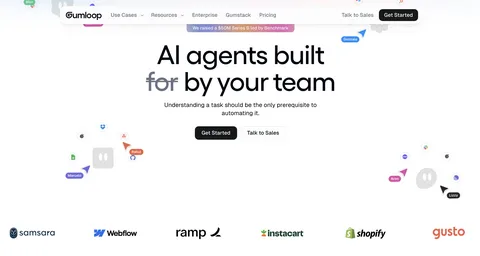
Gumloop is a no-code AI automation builder that lets you connect the apps you already use to large language models like GPT, Claude, or Gemini, then chain them into full marketing workflows. Instead of building a single automation for a single task, you’re essentially designing an AI-powered assembly line.
For marketing teams specifically, that means workflows like scraping competitor content for insights, enriching and scoring leads automatically, monitoring brand sentiment across social platforms, or generating SEO content briefs from live keyword data, all without writing a line of code.
Gumloop pros and cons:
Pros:
- Connects to virtually any LLM without needing separate API keys
- Visual, drag-and-drop builder that’s genuinely beginner-friendly
- Large template library built specifically for marketing use cases
- Handles multi-step logic and conditional branching well
- Active community for troubleshooting and workflow ideas
Cons:
- Newer platform, so occasional bugs or rough edges are possible
- Advanced, highly branched workflows come with a learning curve
- Some third-party integrations are still being expanded
Gumloop pricing
| Plan | Price | Highlights |
| Free | $0/month | 2,000 credits/month, 1 seat, unlimited flows |
| Solo | $37/month | 10,000+ credits, unlimited triggers, bring your own API key |
| Team | $244/month | 60,000+ credits, 10 seats, dedicated support |
| Enterprise | Custom | SSO/SAML, audit logs, private cloud deployment |
Gumloop reviews
Gumloop consistently earns praise for making automation accessible to non-technical marketers, with users at companies like Instacart pointing to it as a tool that let entire teams, not just engineers, build and own their own automated workflows.
2. Zapier
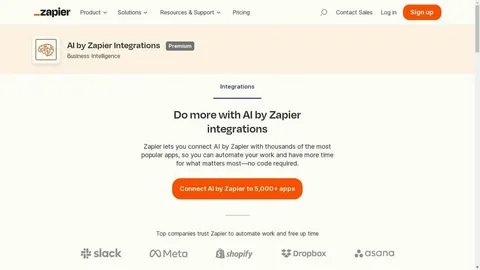
Zapier is the platform most marketers think of first when they hear “automation,” and for good reason, it connects thousands of apps through simple trigger-and-action logic. If X happens in one tool, Zapier makes Y happen in another, without any code.
Its biggest strength is sheer breadth. Whatever software your marketing stack is built on, there’s a good chance Zapier already integrates with it, which makes it a reliable glue layer for connecting forms, spreadsheets, CRMs, and content management systems together.
Pros:
- Integrates with 6,000+ apps, more than almost any competitor
- Enormous library of ready-made templates
- Proven reliability for business-critical workflows
- Simple enough for non-technical teams to adopt quickly
Cons:
- Costs climb quickly as task volume increases
- Interface feels dated next to newer AI-first tools
- Native AI features are limited compared to platforms built around AI
- Struggles with genuinely complex, branching logic
Zapier pricing
| Plan | Price | Highlights |
| Free | $0/month | 100 tasks, 5 Zaps |
| Professional | $29.99/month | 750 tasks/month |
| Team | $103.50/month | 2,000 tasks, shared workspace |
| Enterprise | Custom | Advanced admin and security controls |
Zapier reviews
Zapier holds a 4.5 out of 5 rating on G2 from well over a thousand reviews and a 4.7 out of 5 on Capterra from thousands more, making it one of the highest-rated automation tools on the market for reliability and ease of use.
3. Clay
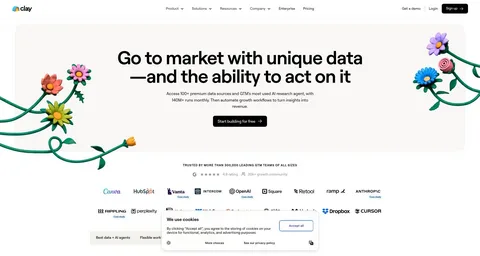
Clay is built for go-to-market teams that live and die by prospecting. It pulls data from dozens of providers into one spreadsheet-style interface, then uses AI to enrich, score, and personalize outreach at scale, a workflow that popularized the now-common “GTM engineer” role.
If your sales cycle is long and your deal sizes are large, Clay is worth a serious look. It’s particularly strong for agencies and B2B companies that need highly researched, individualized outreach rather than generic blasts.
Read More:10 best AI workflow automation tools I’m using in 2026
Pros:
- Aggregates 75+ data sources into a single workflow
- AI research features surface genuinely useful prospect insights
- Excellent for building detailed, account-based marketing lists
- Familiar spreadsheet-like interface for manipulating data
Cons:
- Steeper learning curve for non-technical users
- Credit-based pricing can get expensive at scale
- Built almost entirely around B2B use cases
- Takes real time investment to use to its full potential
Clay pricing
| Plan | Price | Highlights |
| Free | $0/month | 100 credits, limited features |
| Starter | $149/month | 2,000 credits |
| Explorer | $349/month | 10,000 credits |
| Pro | $800/month | 50,000 credits |
| Enterprise | Custom | Advanced controls and support |
Clay reviews
Clay rates 4.8 out of 5 on G2 and an especially strong 4.9 out of 5 on Product Hunt, with users regularly citing its data enrichment depth as the reason they switched from older prospecting tools.
4. Attio

Attio is a modern CRM that’s quickly picked up momentum among startups looking for something more flexible than legacy platforms. It bakes automation directly into the CRM, so instead of bolting on a separate tool, your go-to-market workflows live where your customer data already sits.
It works well for both product-led and sales-led companies, and it integrates cleanly with tools like Zapier, Customer.io, and Segment, so you can extend it well beyond a typical CRM’s scope.
Pros:
- Clean, modern interface that’s genuinely pleasant to use daily
- Native automation built directly into the CRM, not bolted on
- Strong real-time collaboration features for team-based workflows
- Flexible enough for product-led or sales-led motions
Cons:
- Reporting is less robust than legacy platforms like Salesforce
- Smaller integration ecosystem, though it’s expanding fast
- Best suited to smaller or mid-size teams rather than large enterprises
Attio pricing
| Plan | Price | Highlights |
| Free | $0/month | Up to 3 users, core features |
| Plus | $36/user/month | Unlimited seats, up to 15 reports |
| Pro | $86/user/month | Advanced automation, up to 100 reports |
| Enterprise | Custom | Advanced security and controls |
Attio reviews
Attio holds a 4.8 out of 5 rating on G2 and a 4.3 out of 5 on Capterra, with reviewers frequently pointing to its interface and setup speed as standout advantages over older CRM platforms.
5. HubSpot
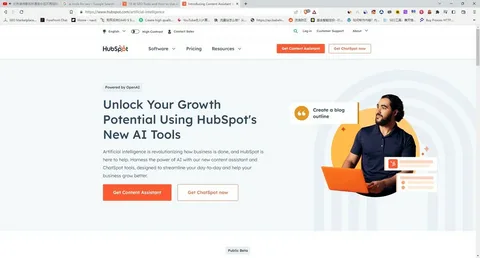
HubSpot is arguably the most recognizable name in marketing automation, and it earns that reputation by functioning as a genuine all-in-one hub for marketing, sales, and customer service. Everything lives on the same CRM record, which makes cross-team handoffs far smoother.
On the marketing side specifically, HubSpot lets you build multi-step workflows off form submissions, automate lead scoring and nurturing, run landing pages, and layer AI features on top of first-party customer data, arguably the best possible foundation for AI-driven marketing.
Pros:
- Genuine all-in-one platform spanning marketing, sales, and service
- Powerful, mature workflow automation builder
- Extensive free training, certifications, and documentation
- Deep reporting and analytics built on unified customer data
Cons:
- Pricing climbs quickly and can be steep for early-stage startups
- Feature set can feel overwhelming for small teams
- Several advanced capabilities are locked behind higher tiers
- Can feel bloated if you only need one specific function
HubSpot’s pricing starts with a free CRM and basic marketing tools, then scales into paid tiers built around contact volume and seats, with professional plans aimed at teams that need multi-step automation and advanced reporting.
HubSpot reviews
HubSpot’s Marketing Hub carries a 4.5 out of 5 rating on G2 from well over ten thousand reviews and a matching 4.5 out of 5 on Capterra, making it one of the most reviewed marketing platforms in existence.
6. Roadway AI
Roadway AI is a newer analytics and attribution platform built specifically for growth marketing teams. Rather than replacing your existing analytics stack, it layers an AI assistant on top of it, letting you ask plain-language questions about what’s actually driving revenue.
Attribution is notoriously messy, and Roadway’s biggest strength is simplifying it, showing you which channels, campaigns, or content pieces are bringing in paying customers, not just traffic, and turning that into automated reporting instead of manual spreadsheet work.
Pros:
- Natural-language queries for pulling marketing insights
- Consolidates multiple data sources into one attribution layer
- Automates reporting that would otherwise take hours weekly
- Clear, straightforward attribution modeling with minimal setup
Cons:
- Still early-stage, with new features rolling out regularly
- Needs solid underlying data infrastructure to perform well
- Focused on analytics rather than full-funnel automation
- Pricing sits higher than tools aimed at small teams
Roadway AI doesn’t publish pricing publicly, so you’ll need to contact their sales team for a quote based on your data volume and team size.
7. Customer.io

Customer.io specializes in behavior-based lifecycle marketing, emails, push notifications, and messages triggered by what a customer actually does inside your product, not just where they sit on a static list. If you’ve ever gotten a perfectly timed onboarding email right after using a new feature, there’s a good chance a platform like this sent it.
It’s especially popular with SaaS companies because it connects directly to product data, letting you build genuinely sophisticated behavioral segments rather than relying on basic email tags.
Pros:
- Triggers messages directly off real product usage data
- Strong fit for onboarding sequences and retention campaigns
- Visual workflow builder that works for marketers and product teams alike
- Solid deliverability and detailed campaign analytics
Cons:
- Costs rise quickly as your contact base grows
- Initial setup takes time to get behavioral triggers right
- Steeper learning curve than simpler email tools
Customer.io pricing
| Plan | Price | Highlights |
| Essential | From $100/month | Up to 5,000 contacts |
| Premium | From $1,000/month (billed yearly) | Custom contact volume |
| Enterprise | Custom | Advanced volume and support needs |
Customer.io reviews
Customer.io rates 4.4 out of 5 on G2 from hundreds of reviews and 4.7 out of 5 on Capterra, with users consistently highlighting its behavioral targeting as more advanced than typical email marketing tools.
8. Loops
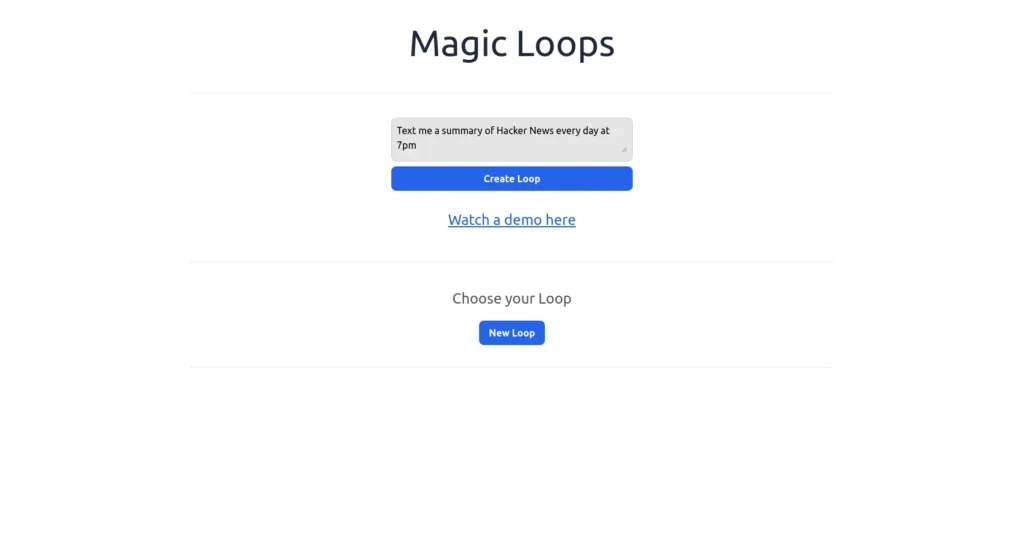
Loops is a stripped-down, modern email platform built specifically for SaaS companies. It’s not trying to be everything at once, it focuses on the essential features software teams actually need for both product and marketing emails, without extra bloat.
That simplicity is the whole appeal. If you run a software startup and want something your team can pick up in an afternoon rather than a week, Loops is worth testing before committing to a heavier platform.
Pros:
- Clean, focused interface without unnecessary complexity
- Purpose-built for SaaS product and marketing emails
- Fast to set up for both technical and non-technical teams
- Reliable deliverability and responsive support
Cons:
- Fewer advanced automation features than platforms like Customer.io
- Smaller integration library than more established competitors
- May not scale comfortably for very large enterprises
- Limited template and design customization options
Loops pricing
| Plan | Price | Highlights |
| Free | $0/month | Up to 1,000 contacts |
| Paid | From $49/month | Up to 5,000 contacts, scales with list size |
Pricing scales roughly every 5,000 contacts, reaching around $399/month at 100,000 contacts.
Loops reviews
Loops holds a strong 4.9 out of 5 rating on Product Hunt, with reviewers regularly citing its simplicity and SaaS-specific focus as the reason they switched from more general-purpose tools.
9. beehiiv

beehiiv started as a newsletter platform but has grown into a genuinely capable automation tool for content creators and media companies. Beyond writing and sending newsletters, it includes segmentation, automated email sequences, and subscriber growth tools built directly into the platform.
Where it differs from tools like Loops or Customer.io is focus: beehiiv is built around growing and monetizing an audience, not triggering product emails, which makes it the better pick if newsletters or content marketing are central to your strategy.
Pros:
- Purpose-built automation for newsletter and content creators
- Strong analytics for tracking subscriber growth over time
- Polished editor with professional-looking templates
- Built-in monetization tools like paid subscriptions and referrals
Cons:
- Behavioral triggers are less sophisticated than Customer.io’s
- Not designed for complex, product-based email workflows
- Smaller catalog of third-party integrations as a newer platform
beehiiv pricing
| Plan | Price | Highlights |
| Launch | Free | Up to 2,500 subscribers |
| Scale | From $49/month | Up to 1,000 subscribers, advanced automation |
| Max | From $109/month | Up to 1,000 subscribers, premium features |
| Enterprise | Custom | Larger subscriber volumes |
beehiiv reviews
beehiiv earns a 4.6 out of 5 rating on G2 and 4.4 out of 5 on Capterra, with reviewers frequently praising how quickly they can launch and monetize a newsletter compared to older email platforms.
10. Klaviyo
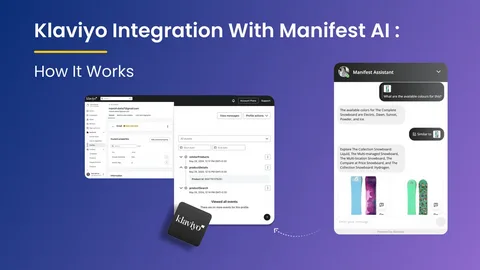
Klaviyo is the dominant email and SMS automation platform for ecommerce, built originally around Shopify but now supporting a wide range of channels, including RCS and WhatsApp. It’s designed around one core goal: turning email and SMS into a measurable revenue channel, not just a communication tool.
Pre-built flows for abandoned carts, post-purchase follow-ups, and win-back campaigns make it especially fast to launch for online stores, and its segmentation is built directly around purchase behavior rather than generic tags.
Pros:
- Deep ecommerce integrations that tie campaigns directly to revenue
- Advanced segmentation based on purchase history and customer value
- Extensive library of pre-built automation flows
- Combines SMS and email under one unified customer profile
Cons:
- Costs increase quickly as your contact list grows
- Can feel excessive for non-ecommerce businesses
- Steeper learning curve for first-time users
- Feature set is narrowly focused on ecommerce use cases
Klaviyo starts with a free plan for up to 250 profiles, then moves into paid tiers based on contact count, with dedicated pricing for email-only versus combined email-and-SMS plans.
Klaviyo maintains a 4.6 out of 5 rating on both G2 and Capterra, with over a thousand reviews on G2 alone, making it one of the most consistently well-reviewed ecommerce marketing platforms available.
What is the future of marketing automation?
Marketing automation isn’t slowing down. Industry estimates put the space at roughly $8 billion in annual revenue today, with projections pushing that figure toward $14 billion by 2030 as AI capabilities keep expanding what “automation” actually means.
That growth won’t just bring more tools, it will change how marketers work. Expect automation to move deeper into strategic territory: predictive lead scoring, AI-generated content briefs, real-time attribution, and workflows that adjust themselves based on live performance data rather than static rules.
But tools alone won’t make anyone a better marketer. The teams that win will be the ones who understand their audience, think clearly about strategy, and use automation to execute that thinking faster, not the ones who simply own the most software. Pair strong marketing fundamentals with the right platform, and you’ll get far more out of 2026’s automation boom than any single tool could deliver on its own.
Frequently Asked Questions
What is the best marketing automation platform for small businesses?
Gumloop and Zapier are strong starting points thanks to generous free plans and simple, no-code setup for small teams.
Which marketing automation tool is best for ecommerce?
Klaviyo is the strongest choice for ecommerce, with deep Shopify integration and revenue-focused email and SMS automation.
Is HubSpot worth it for a small startup?
HubSpot’s free CRM is useful early on, but its paid marketing tiers get expensive fast, so smaller teams often outgrow the free plan quickly.
What’s the difference between Zapier and Gumloop?
Zapier connects apps with simple trigger-based automations, while Gumloop is built around chaining apps together with AI models for more complex, intelligent workflows.
Do I need a CRM and a marketing automation tool separately?
Not always, platforms like Attio and HubSpot combine CRM functionality with built-in automation, so you may not need two separate systems.
How much does marketing automation software typically cost?
Pricing varies widely, from free plans for small contact lists to several hundred dollars a month for platforms with high-volume credits or contacts.
Can marketing automation replace a marketing team?
No, automation handles repetitive execution, but strategy, positioning, and audience understanding still require human marketers to be effective.